
Ads
Mastering smartphone photography secrets enables individuals to significantly enhance their photo-taking abilities, transforming ordinary snapshots into captivating images by understanding and utilizing their device’s built-in capabilities and fundamental photographic principles.
Are you ready to unlock the hidden potential within your pocket? Dive into the world of smartphone photography secrets and discover how to transform your everyday snaps into breathtaking masterpieces in less than an hour. Forget expensive gear; your phone is a powerful camera, and with a few key insights, you’ll be capturing stunning images that tell compelling stories.
understanding your smartphone camera’s capabilities
Before you can truly master smartphone photography, it’s crucial to understand the tools at your disposal. Modern smartphones are equipped with increasingly sophisticated camera systems, featuring multiple lenses, advanced sensors, and powerful image processing capabilities. Knowing what each component does can significantly impact how you approach taking a picture.
Many users simply point and shoot, relying on the automatic settings. While this often yields decent results, it barely scratches the surface of what your phone can achieve. Exploring your camera app’s various modes and settings is the first step toward elevating your photography. From portrait mode to night mode, each setting is designed for specific scenarios, offering unique advantages.
the power of multiple lenses
Most contemporary smartphones boast a multi-lens setup, typically including a wide-angle, ultra-wide, and telephoto lens. Each serves a distinct purpose, allowing for greater creative flexibility.
- Wide-Angle Lens: Ideal for landscapes, architecture, and group shots, capturing a broader field of view.
- Ultra-Wide Lens: Expands the scene even further, perfect for conveying a sense of vastness or dramatic perspective.
- Telephoto Lens: Zooms in on distant subjects without significant loss of quality, excellent for portraits or isolating details.
Experimenting with these lenses can dramatically change the composition and impact of your photos. Don’t be afraid to switch between them to see which best suits your subject and desired aesthetic. Understanding these fundamental capabilities is a core secret to better smartphone photography.
In conclusion, taking the time to familiarize yourself with your smartphone’s camera hardware and software features is the foundational step. This knowledge empowers you to move beyond basic snapshots and begin crafting visually compelling images with intention and control.
mastering composition and framing
Even the most technically perfect photo can fall flat without good composition. Composition is the art of arranging elements within your frame to create a visually pleasing and impactful image. It’s one of the most powerful smartphone photography secrets you can learn, and it doesn’t require any special equipment.
The rule of thirds is a classic compositional guideline that can instantly improve your photos. Imagine your screen divided into nine equal sections by two horizontal and two vertical lines. Placing your subject or key elements along these lines or at their intersections often creates a more balanced and engaging image than simply centering everything.
leveraging leading lines and symmetry
Leading lines are powerful compositional tools that draw the viewer’s eye through the photograph, guiding them towards the main subject. These can be roads, fences, rivers, or even patterns in architecture. Using leading lines adds depth and dynamism to your images.
- Leading Lines: Utilize natural or artificial lines to direct attention and create a sense of movement.
- Symmetry: When a scene has symmetrical elements, embrace it. Reflections, architectural patterns, and mirrored landscapes can create incredibly striking and harmonious compositions.
Another often overlooked aspect is framing. This involves using natural elements within the scene, like doorways, windows, or tree branches, to frame your subject. Framing adds context, depth, and a sense of looking into a particular moment, enhancing the narrative of your photograph.
Ultimately, a strong composition elevates a simple snapshot to a work of art. By consciously applying these techniques, you’ll find yourself creating more engaging and professional-looking photos with your smartphone, making these compositional tactics vital smartphone photography secrets.
lighting techniques for stunning photos
Light is the essence of photography. Without good light, even the best subject and composition can result in a mediocre photo. Understanding how to use natural and artificial light effectively is one of the most transformative smartphone photography secrets you can uncover. It’s not about expensive studio setups; it’s about observation and positioning.
The ‘golden hour’ – the period shortly after sunrise or before sunset – is often considered the best time for outdoor photography. The light during this time is soft, warm, and creates long, flattering shadows. Conversely, harsh midday sun can create strong contrasts and deep shadows that are difficult for smartphone cameras to handle, often leading to overexposed highlights and underexposed shadows.
avoiding common lighting pitfalls
Backlighting, where the light source is behind your subject, can be challenging. It often results in silhouetted subjects or underexposed faces. While silhouettes can be artistic, if you want your subject well-lit, try to position them with the light source in front or to the side.
- Avoid Direct Flash: The built-in flash on smartphones can be harsh and unflattering. Use it only as a last resort in very low light, or try to diffuse it if possible.
- Seek Soft Light: Overcast days, open shade, or indoor lighting near a window provide soft, even illumination that is very forgiving for smartphone cameras.
When shooting indoors, utilize natural window light as much as possible. Position your subject near a window, and observe how the light falls on them. You can also use a white reflector (even a piece of white card or a wall) to bounce light back onto your subject, filling in shadows and creating more even illumination.
By consciously paying attention to light and understanding its characteristics, you’ll dramatically improve the quality and mood of your smartphone photos. This mastery of light is truly one of the most impactful smartphone photography secrets to learn.
unlocking advanced camera settings and modes
While auto mode is convenient, diving into your smartphone camera’s advanced settings and specialized modes can unlock a new level of creative control. Many phones now offer ‘Pro’ or ‘Manual’ modes, allowing you to adjust settings typically found on professional cameras. These smartphone photography secrets give you the power to fine-tune your shots.
In manual mode, you can often control aspects like ISO, shutter speed, white balance, and focus. Understanding these settings empowers you to adapt to different lighting conditions and achieve specific artistic effects that auto mode simply cannot replicate. It might seem daunting at first, but a little experimentation goes a long way.
exploring specialized camera modes
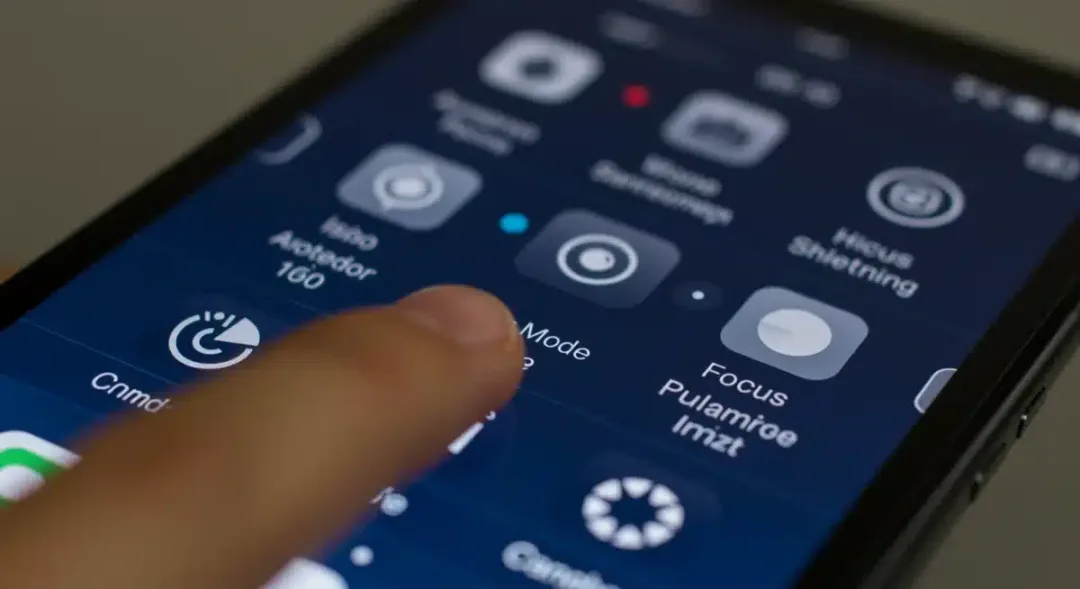
Beyond manual controls, modern smartphones come packed with specialized modes designed to handle specific photographic challenges or create unique visual styles. These modes are often overlooked but are incredibly powerful.
- Portrait Mode: Creates a shallow depth of field, blurring the background (bokeh effect) to make your subject stand out.
- Night Mode: Uses computational photography to capture brighter, clearer images in very low light conditions by combining multiple exposures.
- Panorama Mode: Stitches together multiple images to create a wide, expansive view, perfect for landscapes.
- Burst Mode: Captures a rapid sequence of photos, ideal for action shots to ensure you don’t miss the perfect moment.
Don’t just stick to the default settings. Spend some time navigating your camera app’s interface. Look for icons that indicate different modes or a ‘Settings’ gear icon. Many phones also allow you to adjust exposure compensation directly on the screen by tapping on your subject and sliding a brightness control. This simple adjustment can prevent over or underexposure.
By familiarizing yourself with and actively utilizing these advanced modes and settings, you’ll gain greater control over your final image, transforming your smartphone into a more versatile photographic tool. These are powerful smartphone photography secrets for any aspiring mobile photographer.
the art of post-processing and editing
Even the best photos can benefit from a little polish. Post-processing, or editing, is where you can truly refine your images, correct minor imperfections, and enhance their overall impact. It’s a critical component of professional photography, and with powerful yet user-friendly editing apps available for smartphones, it’s one of the most accessible smartphone photography secrets.
You don’t need complex desktop software. Apps like Adobe Lightroom Mobile, Snapseed, or even your phone’s built-in photo editor offer a wide array of tools. Basic adjustments like cropping, straightening, and adjusting brightness, contrast, and saturation can make a significant difference. These initial steps can correct common issues and make your photo pop.
essential editing tools and techniques
Beyond basic adjustments, several tools can dramatically improve your photos. Learning to use them effectively can elevate your images from good to great.
- Cropping and Straightening: Improve composition and correct skewed horizons.
- Exposure and Contrast: Adjust the overall brightness and the difference between light and dark areas.
- Highlight and Shadow Recovery: Bring back detail in overexposed bright areas or underexposed dark areas.
- Color Correction (White Balance, Saturation): Ensure colors are accurate and vibrant, but avoid over-saturating.
- Sharpening and Noise Reduction: Enhance detail and reduce graininess, especially in low-light shots.
One of the most effective techniques is selective editing. Instead of applying changes globally to the entire image, many apps allow you to make localized adjustments. For instance, you can brighten a face without overexposing the sky, or enhance the color of a specific object without affecting the rest of the scene.
Remember, the goal of editing is to enhance, not to drastically alter. A good edit should feel natural and elevate the original image. With practice, you’ll develop an eye for what adjustments are needed to bring out the best in your smartphone photos, making editing a key part of your smartphone photography secrets toolkit.
accessories and apps to enhance your mobile photography
While your smartphone camera is powerful on its own, a few well-chosen accessories and third-party apps can significantly expand its capabilities and make capturing great photos even easier. These enhancements are often overlooked smartphone photography secrets that can give you an edge.
One of the most useful accessories is a tripod. Even a small, portable one can dramatically improve stability, especially in low-light conditions or when taking long exposures. Tripods also help with precise composition and self-portraits. Another simple yet effective accessory is an external lens kit. These clip-on lenses can provide fisheye, macro, or even telephoto capabilities that your phone’s built-in lenses might lack.
must-have apps for serious mobile photographers
The default camera app on your phone is good, but third-party camera apps often offer more manual control and advanced features. Similarly, specialized editing apps provide tools beyond what your phone’s native editor can do.
- Manual Camera Apps: Apps like ProCamera, Halide, or Camera FV-5 offer granular control over ISO, shutter speed, and manual focus, mimicking DSLR controls.
- Advanced Editing Apps: Beyond Snapseed and Lightroom Mobile, consider VSCO for its film-like filters or PicsArt for creative overlays and effects.
- Photo Management Apps: Keep your growing library organized with apps that offer better tagging, search, and cloud synchronization features.
Consider a power bank if you plan on extended shooting sessions. Photography, especially with advanced settings and editing, can drain your battery quickly. A portable charger ensures you don’t miss a shot due to a dead battery. Also, investing in a good quality microfiber cloth to keep your lenses clean is crucial; smudges can significantly degrade image quality.
These accessories and apps, while optional, can significantly enhance your mobile photography experience, allowing you to push the boundaries of what’s possible with your smartphone. They represent practical smartphone photography secrets for those looking to take their craft to the next level.
practical tips for capturing everyday moments
The beauty of smartphone photography lies in its accessibility. Your best camera is the one you always have with you. Learning to capture compelling everyday moments is one of the most rewarding smartphone photography secrets. It’s about being observant, quick, and ready to seize opportunities as they arise.
Always keep your camera lens clean. A smudged lens is the leading cause of blurry, hazy photos. A quick wipe with a soft cloth can make a world of difference. Also, don’t be afraid to get close to your subject. Filling the frame can create more impactful and intimate photos, eliminating distracting backgrounds.
storytelling through your lens
Every photo tells a story. Think about what narrative you want to convey with your image. Is it the joy of a child playing, the tranquility of a morning coffee, or the vibrant energy of a street market? Focusing on the story helps you compose and capture with intention.
- Look for Unique Perspectives: Don’t always shoot from eye level. Get low, shoot from above, or experiment with angles to find a fresh viewpoint.
- Capture candid moments: Posed photos can be stiff. Try to capture people in their natural element, reacting authentically.
- Embrace imperfections: Not every shot needs to be technically perfect. Sometimes, a slightly blurry or unusually composed photo can convey more emotion or character.
Practice regularly. The more you shoot, the better you’ll become at anticipating moments, finding good light, and composing instinctively. Don’t be afraid to experiment with different settings, angles, and subjects. Review your photos critically, learn from what works and what doesn’t, and continuously refine your approach.
By integrating these practical tips into your daily routine, you’ll find yourself not just taking photos, but truly seeing and capturing the world around you with a newfound appreciation and skill. These everyday smartphone photography secrets will make you a more confident and capable mobile photographer.
| Key Photography Concept | Brief Description |
|---|---|
| Composition & Rule of Thirds | Arranging elements to create visually appealing images, often by placing subjects off-center. |
| Optimal Lighting | Utilizing natural light, especially during golden hour, and avoiding harsh shadows for better photos. |
| Advanced Camera Modes | Using Pro/Manual modes and specialized features (Portrait, Night) for greater creative control. |
| Post-Processing | Refining images with editing apps to enhance colors, exposure, and overall visual appeal. |
Frequently Asked Questions About Smartphone Photography
What is the most important setting to adjust for better smartphone photos?▼While many settings are important, focusing on exposure is arguably the most crucial. Properly exposed photos have good balance between light and dark areas. You can often adjust exposure by tapping on your subject on the screen, then sliding a brightness control up or down to achieve the desired look.
How can I avoid blurry photos with my smartphone?▼Blurry photos often result from camera shake or improper focus. To avoid this, hold your phone steady, use both hands, or lean against a stable surface. Tap on your subject to ensure sharp focus, and consider using burst mode for moving subjects to capture a clear shot.
Is it better to use my phone’s zoom or crop later?▼It’s generally better to crop later during editing. Most smartphone digital zooms simply enlarge the image, leading to a loss of quality. Optical zoom (found on telephoto lenses) maintains quality, but if you’re using digital zoom, shooting wider and cropping in post-production offers more flexibility and better image integrity.
What is the ‘Rule of Thirds’ and how do I use it?▼The Rule of Thirds is a compositional guideline where you imagine your image divided into nine equal sections by two horizontal and two vertical lines. Placing your main subject or key elements along these lines or at their intersections creates a more balanced and dynamic photo than simply centering everything.
Are third-party camera apps really necessary for good smartphone photography?▼While not strictly necessary, third-party camera apps often provide more advanced manual controls (like shutter speed, ISO, and white balance) that your phone’s native app might lack. They can offer greater creative flexibility and allow you to fine-tune your shots for specific artistic effects, especially in challenging lighting conditions.
conclusion
Unlocking the full potential of your smartphone camera is an incredibly rewarding journey, and as these smartphone photography secrets reveal, it doesn’t require hours of study or expensive equipment. By understanding your camera’s capabilities, mastering fundamental compositional techniques, harnessing the power of light, exploring advanced settings, and embracing post-processing, you can elevate your everyday photos into captivating visual stories. The most powerful tool is always your eye and your willingness to experiment. So, grab your phone, clean that lens, and start capturing the world around you with a renewed sense of creativity and confidence. The next stunning photograph is just a tap away.