
Ads
Setting up your 2026 Smart TV to cut the cord involves selecting streaming services, optimizing internet, and configuring peripherals for a seamless entertainment experience.
Are you ready to embrace the future of home entertainment and finally say goodbye to traditional cable bills? Learning to Cut the Cord: A Step-by-Step Guide to Setting Up Your 2026 Smart TV is easier than you might think, and with the latest advancements, your viewing experience will be richer and more personalized than ever before.
Unboxing and Initial Physical Setup
The journey to a cord-free entertainment setup begins with the physical installation of your new 2026 Smart TV. This initial phase is crucial for ensuring stability, proper ventilation, and accessibility for all necessary connections. Taking your time here will prevent issues down the line.
Carefully remove your Smart TV from its packaging, making sure to follow the manufacturer’s instructions for handling. Most 2026 models are significantly lighter and thinner than their predecessors, but still require a gentle touch. Identify all included accessories, such as the remote control, stand components, and power cable.
Mounting or Stand Installation
Deciding between wall mounting and stand placement depends on your living space and aesthetic preferences. Wall mounting offers a clean, space-saving look, while a stand provides flexibility and often easier access to ports. Ensure your wall mount or TV stand is rated for the size and weight of your 2026 Smart TV.
- Wall Mount: Use a stud finder to locate secure mounting points. Ensure the mount is level and securely fastened before attaching the TV.
- Stand: Assemble the stand according to the instructions, typically involving a few screws. Place the TV on a stable, level surface, ensuring there’s enough clearance for ventilation.
- Ventilation: Always leave adequate space around the TV for heat dissipation, especially for high-performance 2026 models.
Once your TV is securely in place, proceed to connect the power cable and any initial peripherals. Avoid plugging the TV into a surge protector just yet; it’s often better to wait until the initial setup is complete to prevent potential power-related interruptions during software updates.
First Power-On and Network Configuration
After the physical setup, the next step is powering on your 2026 Smart TV for the first time and connecting it to your home network. This is where your TV truly comes to life, accessing the internet and all its streaming potential. A stable network connection is paramount for a smooth cord-cutting experience.
Upon first power-on, your TV will likely guide you through an initial setup wizard. This wizard typically covers language selection, region settings, and a channel scan if you plan to use an antenna. Pay close attention to the network configuration steps.
Connecting to Wi-Fi or Ethernet
For most users, a Wi-Fi connection offers convenience and flexibility. However, for the best streaming quality, especially with 4K content, an Ethernet connection is often superior due to its stability and speed. Your 2026 Smart TV will likely support both.
- Wi-Fi: Select your home network from the list of available networks. Enter your Wi-Fi password carefully. Most 2026 Smart TVs support Wi-Fi 6 or even Wi-Fi 6E for faster, more reliable wireless performance.
- Ethernet: Connect an Ethernet cable directly from your router to the LAN port on your TV. This connection is usually plug-and-play, requiring no password.
- Router Placement: If using Wi-Fi, ensure your router is centrally located and not obstructed by large objects to maximize signal strength.
After successfully connecting to the internet, your TV may prompt you to update its firmware. It’s highly recommended to perform these updates immediately, as they often include performance enhancements, security patches, and new features specific to 2026 models. This ensures your TV is running optimally from the start.
Exploring and Installing Streaming Services
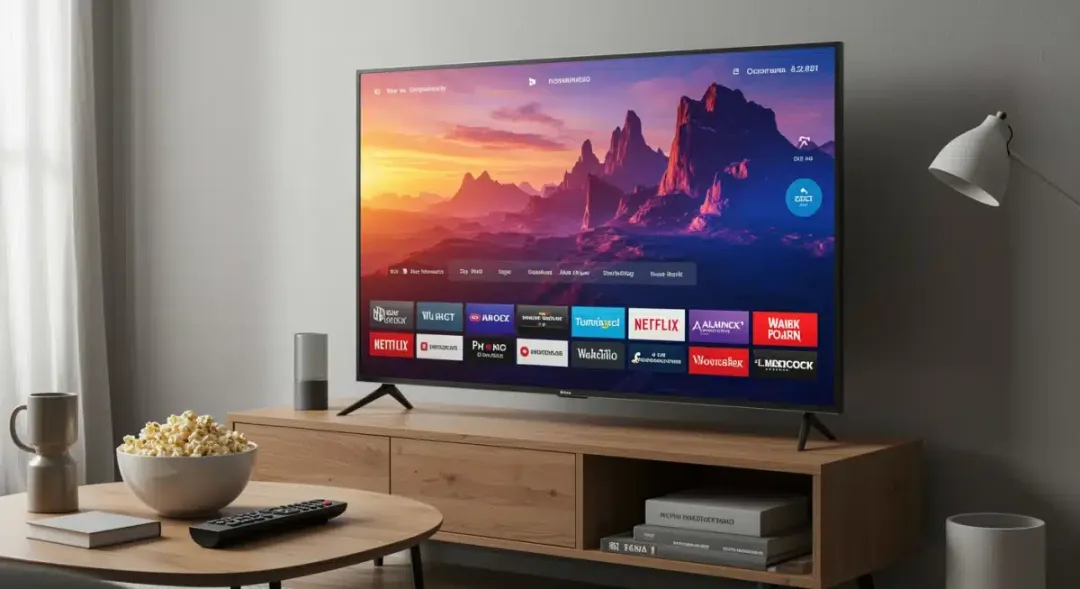
With your 2026 Smart TV connected to the internet, the real fun of cutting the cord begins: exploring and installing your favorite streaming services. The built-in app store on your Smart TV is your gateway to a vast library of content, from movies and TV shows to live sports and documentaries.
Most 2026 Smart TVs come with popular streaming apps pre-installed, such as Netflix, Hulu, Disney+, and Amazon Prime Video. However, you’ll likely want to personalize your selection to match your viewing habits. Navigate to your TV’s app store, which is usually prominently featured on the home screen.
Choosing Your Streaming Portfolio
Consider which services offer the content you value most. Many services provide free trials, allowing you to test them before committing to a subscription. Look for bundles or family plans if you plan to subscribe to multiple services, as these can offer significant savings.
- On-Demand Services: Netflix, Hulu, Disney+, Max, Apple TV+ are excellent for movies and TV series.
- Live TV Streaming: Services like YouTube TV, Sling TV, and FuboTV offer live channels, mimicking a traditional cable experience without the long-term contracts.
- Free Streaming: Don’t overlook free services such as Tubi, Pluto TV, and The Roku Channel, which offer a surprising amount of content with ads.
Once you’ve selected your desired apps, simply download and install them. You’ll then need to sign in with your existing accounts or create new ones. Many 2026 Smart TVs feature integrated voice assistants, making it even easier to launch apps and search for content simply by speaking into your remote.

Optimizing Picture and Sound Settings
Even the most advanced 2026 Smart TV won’t deliver its full potential without proper picture and sound calibration. Factory settings are often generic and don’t account for your specific viewing environment or personal preferences. Taking the time to adjust these settings can dramatically enhance your cord-cutting experience.
Start by disabling any ‘eco’ or ‘power-saving’ modes, as these often dim the screen and reduce picture quality. Then, delve into the various picture modes. Most TVs offer modes like ‘Standard,’ ‘Movie/Cinema,’ ‘Vivid,’ and ‘Game.’ ‘Movie/Cinema’ mode is often the most accurate for general viewing, as it aims to replicate the director’s intended look.
Key Picture Settings to Adjust
Focus on a few core settings to make the biggest impact. Remember that subtle adjustments often yield the best results, and what looks good to one person might not to another.
- Brightness: Adjust to suit your room’s ambient light. Too high can wash out blacks, too low can hide details.
- Contrast: Controls the difference between the brightest and darkest parts of the image.
- Color Saturation/Tint: Fine-tune colors to appear natural, not overly vibrant or washed out.
- Sharpness: Be cautious with this; too much sharpness can introduce artificial edges and noise.
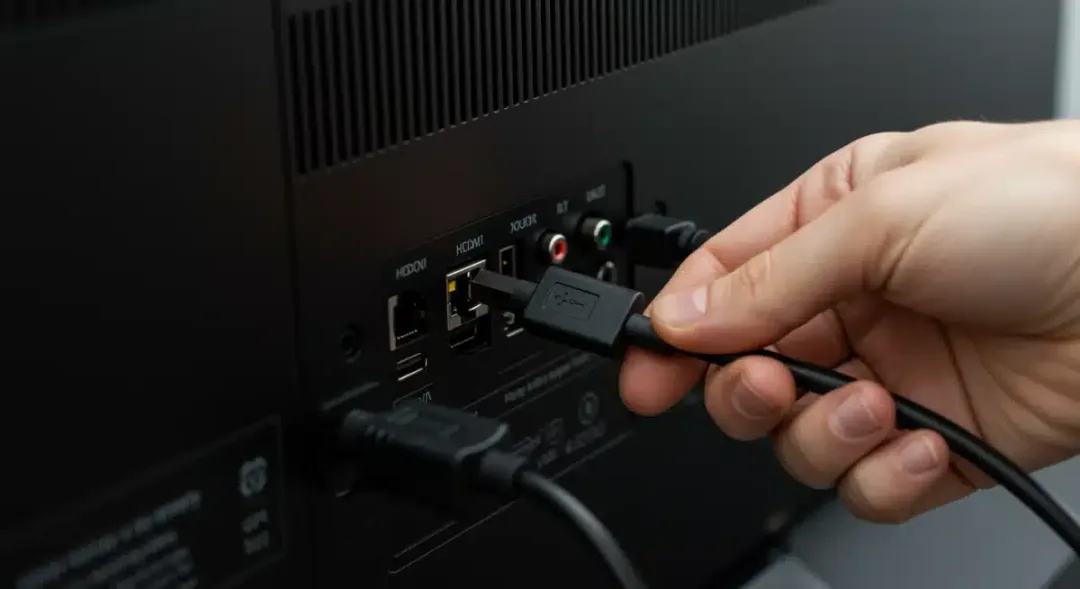
Sound settings are equally important. Explore your TV’s audio options, which might include different sound modes (e.g., ‘Standard,’ ‘Music,’ ‘Movie,’ ‘Clear Voice’). If you have a soundbar or home theater system, ensure the TV’s audio output is configured correctly, often through an HDMI ARC/eARC port or an optical audio cable. Many 2026 models feature advanced audio processing, so experiment to find what sounds best for your content.
Antenna Integration and Local Channels
While streaming services cover a vast array of content, an often-overlooked aspect of cutting the cord is accessing local broadcast channels. This is where a good old-fashioned over-the-air (OTA) antenna comes into play, offering free access to major networks like ABC, CBS, NBC, and Fox in stunning HD, without any subscription fees.
The first step is to research which type of antenna is best suited for your location. Websites like AntennaWeb.org or the FCC’s DTV Reception Maps can help you determine the broadcast towers in your area and recommend appropriate antenna types (indoor, outdoor, directional, omnidirectional).
Antenna Selection and Placement
The right antenna can make a significant difference in the number and quality of channels you receive. Proper placement is key to maximizing signal strength and minimizing interference.
- Indoor Antennas: Best for urban areas with strong signals. Try placing them near a window or facing the broadcast towers.
- Outdoor Antennas: Ideal for rural or suburban areas. Mount them as high as possible and aim them directly at the broadcast towers.
- Amplified Antennas: Can boost weak signals but might also amplify noise. Use only if necessary.
Once your antenna is connected to your 2026 Smart TV’s antenna input, navigate to the TV’s settings and perform a channel scan. Your TV will search for available over-the-air channels and add them to your channel list. Remember that signal strength can vary with weather conditions and foliage, so occasional rescan might be beneficial. Integrating an antenna ensures you don’t miss out on local news, sports, and prime-time shows, complementing your streaming subscriptions perfectly.
Advanced Features and Smart Home Integration
Your 2026 Smart TV is more than just a screen; it’s a central hub for your modern home entertainment and potentially your smart home ecosystem. Exploring its advanced features and integration capabilities can unlock a new level of convenience and functionality, truly making your cord-cutting setup future-proof.
Modern Smart TVs come equipped with powerful processors and intuitive operating systems that support a wide range of advanced functionalities. Many models feature built-in voice assistants like Google Assistant or Amazon Alexa, allowing you to control your TV, search for content, and even manage other smart home devices using voice commands.
Seamless Smart Home Connectivity
The seamless integration of your Smart TV with other smart devices is a hallmark of 2026 technology. This allows for a more cohesive and automated living experience.
- Voice Control: Use your TV’s remote or a connected smart speaker to control playback, change channels, or adjust volume.
- Device Mirroring: Cast content from your smartphone or tablet directly to your TV screen using technologies like Apple AirPlay or Google Chromecast, often built-in.
- Smart Home Hub: Some 2026 Smart TVs can act as a central display for your smart home, showing camera feeds, thermostat controls, or lighting adjustments.
Beyond smart home integration, explore features like multi-view options, which allow you to watch multiple sources simultaneously, or advanced gaming modes that reduce input lag for a smoother gaming experience. Regularly check for software updates to ensure you have access to the latest features and security enhancements. By leveraging these advanced capabilities, your 2026 Smart TV becomes an indispensable part of your connected lifestyle, extending its utility far beyond simple entertainment.
| Key Point | Brief Description |
|---|---|
| Initial Setup | Securely install your 2026 Smart TV and connect it to power, ensuring proper ventilation. |
| Network Connection | Establish a stable internet connection via Wi-Fi or Ethernet for optimal streaming performance. |
| Streaming Services | Download and configure your preferred streaming apps to access a vast library of content. |
| Optimization & Integration | Adjust picture/sound settings and explore smart home integration for enhanced experience. |
Frequently Asked Questions About 2026 Smart TV Setup
What is the first step after unboxing my new 2026 Smart TV?▼After unboxing, the first step is to physically install your 2026 Smart TV, either on its stand or by wall mounting it. Ensure it’s stable and has adequate ventilation. Connect the power cable but hold off on plugging it into a surge protector until after initial software updates.
Is Wi-Fi or Ethernet better for my 2026 Smart TV?▼While Wi-Fi offers convenience, an Ethernet connection is generally better for your 2026 Smart TV. It provides a more stable and faster internet connection, which is crucial for high-quality 4K streaming and reducing buffering. Wi-Fi 6/6E can offer strong wireless performance, but a wired connection remains optimal.
How do I get local channels without cable on my 2026 Smart TV?▼To receive local channels without cable, you need to connect an over-the-air (OTA) antenna to your 2026 Smart TV’s antenna input. After connecting, navigate to your TV’s settings and perform a channel scan. This will tune in free, high-definition broadcasts from local networks.
Should I adjust my 2026 Smart TV’s picture and sound settings?▼Yes, it’s highly recommended to adjust your 2026 Smart TV’s picture and sound settings. Factory defaults are generic. Calibrating brightness, contrast, color, and sharpness to your viewing environment and personal preference will significantly improve your overall entertainment experience, making content look and sound much better.
Can my 2026 Smart TV integrate with my smart home?▼Absolutely. Most 2026 Smart TVs feature built-in voice assistants like Google Assistant or Amazon Alexa, allowing seamless integration with your smart home devices. You can control your TV with voice commands, cast content, and even use your TV as a central display for smart home monitoring and management.
Conclusion
Successfully navigating the process to Cut the Cord: A Step-by-Step Guide to Setting Up Your 2026 Smart TV empowers you to take full control of your home entertainment. By meticulously following the steps from unboxing and initial setup to optimizing picture and sound, integrating streaming services, and leveraging advanced smart features, you create a personalized, cost-effective, and high-quality viewing experience. The era of restrictive cable contracts is fading, and with your 2026 Smart TV, you are perfectly positioned to enjoy a future rich with diverse content, all tailored to your preferences and managed with unprecedented ease.