
Ads
Understanding the evolving tactics of tech support scams in 2026 is crucial for protecting personal data and financial assets in an increasingly digital world.
In our increasingly connected world, digital security is paramount. Unfortunately, cybercriminals are constantly innovating, making it more challenging to discern legitimate assistance from malicious intent. This article will delve into the critical aspects of identifying and avoiding tech support scams in 2026, equipping you with the knowledge to safeguard your digital life.
The evolving landscape of tech support scams
The digital realm is a dynamic environment, and with every technological advancement, new vulnerabilities emerge that scammers are quick to exploit. Tech support scams, once characterized by rudimentary pop-ups and cold calls, have become increasingly sophisticated, making them harder to detect for even tech-savvy individuals. The year 2026 brings with it new challenges, as scammers leverage artificial intelligence, deepfake technology, and advanced social engineering tactics to deceive their victims.
Understanding these evolving methods is the first step in building a robust defense. Cybercriminals meticulously research their targets, often gathering personal information from social media or data breaches to craft highly personalized and convincing attacks. They exploit fear, urgency, and a lack of technical knowledge to manipulate individuals into granting remote access to their devices or divulging sensitive financial information.
AI-powered phishing and deepfake calls
One of the most alarming trends in 2026 is the integration of AI into phishing campaigns and the use of deepfake technology. Scammers can now generate highly realistic emails, messages, and even voice calls that mimic legitimate tech support providers or well-known companies. These AI-generated communications are often free of grammatical errors and stylistic inconsistencies that once served as red flags.
- Realistic Phishing Emails: AI algorithms craft emails that perfectly replicate the branding and tone of trusted organizations, making them almost indistinguishable from genuine communications.
- Deepfake Voice Calls: Criminals use deepfake audio to impersonate actual customer service representatives or even family members, creating a false sense of trust and urgency.
- Personalized Attacks: AI analyzes publicly available data to tailor scam messages, mentioning specific software, recent purchases, or even personal details to increase credibility.
The evolution of these scams necessitates a heightened sense of skepticism and a proactive approach to verifying any unsolicited contact. Never assume a communication is legitimate solely based on its appearance or the perceived identity of the caller. Always cross-reference contact information through official channels.

The goal of these advanced tactics remains the same: to gain unauthorized access to your computer, install malicious software, or steal your sensitive data, including bank details and passwords. Being aware of these sophisticated methods is crucial for anyone navigating the digital world in 2026.
Common tactics used by tech support scammers
Despite the increasing sophistication, many tech support scams still rely on a core set of tactics that exploit human psychology and technical ignorance. Recognizing these common approaches is fundamental to protecting yourself and your loved ones from becoming victims. Scammers often create a sense of panic or urgency, pressuring individuals into making rash decisions without proper verification.
These tactics are designed to bypass your critical thinking and engage an emotional response, leading you to believe that your computer is in immediate danger. They prey on the fear of losing data, having your identity stolen, or simply dealing with a broken device that you rely on daily.
Unsolicited contact methods
Perhaps the most prevalent tactic is unsolicited contact. This can manifest in several ways, each designed to catch you off guard and initiate a fraudulent interaction. These contacts often appear out of the blue, without any prior interaction or request for support from your end.
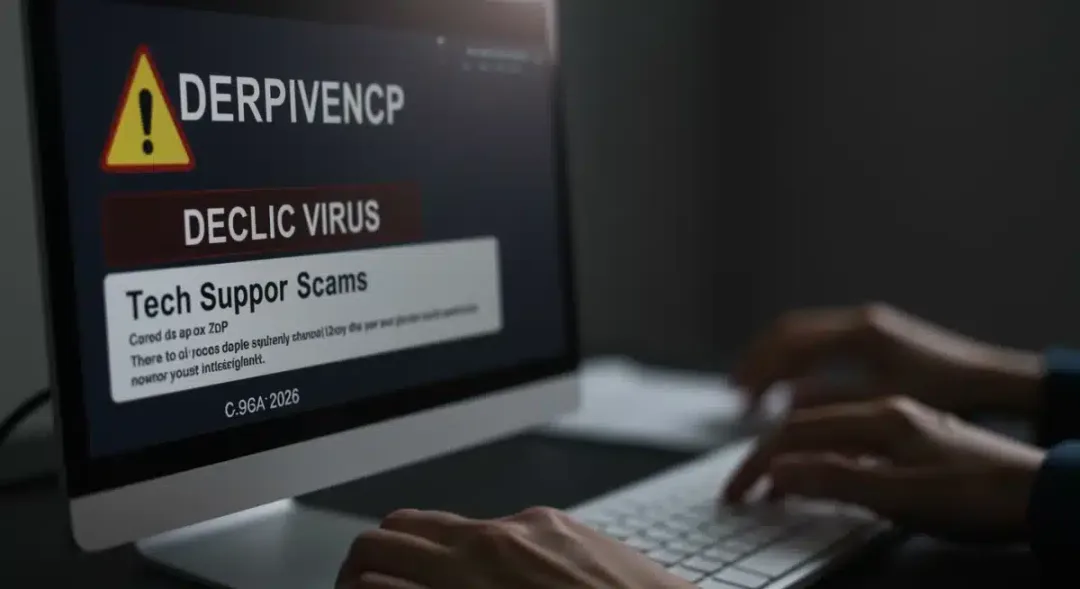
- Pop-up Warnings: Aggressive browser pop-ups appear, claiming your computer is infected with viruses or malware and instructing you to call a specific “tech support” number immediately. These pop-ups often lock your browser, making it difficult to close.
- Cold Calls: Scammers call you directly, often claiming to be from well-known tech companies like Microsoft or Apple, stating they’ve detected a problem with your device or network.
- Email and SMS Phishing: You receive emails or text messages that look official, warning you of security breaches or system errors and providing a fake support number or link to click.
It’s crucial to remember that legitimate tech companies will rarely, if ever, contact you proactively about an issue with your device unless you have specifically requested support. Always be wary of any unsolicited communication concerning your computer’s health.
Remote access and scareware
Once contact is established, scammers attempt to gain remote access to your computer. They achieve this by convincing you to download and install remote desktop software. This allows them to manipulate your screen, making it appear as though they are fixing non-existent problems or demonstrating serious issues.
They often install “scareware” – fake antivirus or diagnostic tools that display alarming messages about critical system failures or virus infections. These programs are designed to look legitimate but serve only to frighten you into believing your system is compromised. They might even disable legitimate security software to make their claims more convincing.
The ultimate goal is to convince you that your computer is severely damaged and that only their expensive, unnecessary services or software can fix it. They will pressure you to pay for these services, often demanding payment via gift cards, wire transfers, or cryptocurrency, which are difficult to trace.
Red flags: what to look out for
Identifying a tech support scam often comes down to recognizing key red flags that differentiate legitimate assistance from fraudulent attempts. These indicators are crucial for protecting yourself, especially as scams become more sophisticated. Developing a keen eye for these warning signs can save you from significant financial loss and emotional distress.
Scammers rely on your trust and your lack of technical knowledge. By understanding their methods and recognizing these red flags, you empower yourself to make informed decisions and avoid falling prey to their deceptive practices. Always prioritize verification over immediate action.
Unsolicited contact and urgency
As mentioned, unsolicited contact is a major red flag. Legitimate tech support providers do not typically initiate contact to inform you of a problem unless you have an existing service agreement or have specifically requested their help. Be extremely suspicious of any pop-up, email, or phone call that claims to be from a major tech company and states there’s an urgent issue with your device.

- Sudden Alerts: Unexpected pop-ups with loud alarms or flashing warnings are almost always fraudulent. Close them immediately without interacting.
- Pressure Tactics: Scammers create a sense of urgency, insisting that your computer will crash, your data will be lost, or your account will be suspended if you don’t act immediately.
- Generic Greetings: Even with AI, some scams still use generic greetings like “Dear customer” instead of your name, indicating a mass phishing attempt.
Never succumb to pressure. Take a moment to pause, breathe, and critically evaluate the situation. A legitimate tech support professional will understand if you need time to verify their identity or consult with someone else.
Suspicious payment methods and remote access requests
The methods of payment and the requests for remote access are often definitive indicators of a scam. Legitimate companies typically use secure, traceable payment methods and have clear protocols for remote support that you initiate.
- Gift Cards or Wire Transfers: Scammers frequently demand payment via unconventional methods like gift cards, cryptocurrency, or wire transfers, which are nearly impossible to trace or reverse. Legitimate companies accept standard payment methods like credit cards or bank transfers.
- Immediate Remote Access: Be highly suspicious of anyone who immediately demands remote access to your computer before adequately explaining the problem or verifying their identity. While legitimate tech support uses remote access, it’s typically initiated by you after a verified support request.
- Exaggerated Problems: Scammers often exaggerate minor issues or invent problems entirely, using technical jargon to confuse and intimidate you. They might show you system logs or files that appear alarming but are perfectly normal.
Always verify the identity of the person contacting you. If they claim to be from a specific company, hang up and call the company back using an official phone number found on their website, not one provided by the suspicious caller or pop-up. Never give remote access to anyone you haven’t explicitly contacted and verified.
Protecting yourself: practical steps for 2026
In 2026, proactive protection is your best defense against tech support scams. Simply being aware of the threats is not enough; you must implement practical, actionable steps to safeguard your devices and personal information. These measures extend beyond just recognizing scams and involve establishing good digital hygiene habits.
Building a resilient defense against cyber threats requires a combination of technology, vigilance, and common sense. By adopting these practices, you significantly reduce your vulnerability to even the most sophisticated scamming attempts.
Strengthening your digital defenses
Your technical setup plays a crucial role in preventing unauthorized access and detecting malicious software. Ensuring your systems are up-to-date and adequately protected is a fundamental step.
- Robust Antivirus Software: Install and maintain reputable antivirus and anti-malware software. Ensure it’s always updated to detect the latest threats.
- Operating System Updates: Keep your operating system (Windows, macOS, Linux) and all applications updated. Updates often include critical security patches that close vulnerabilities exploited by scammers.
- Firewall Protection: Enable your operating system’s firewall and consider a hardware firewall for added network security.
- Strong, Unique Passwords: Use strong, unique passwords for all your online accounts, preferably managed by a password manager. Enable two-factor authentication (2FA) wherever possible.
Regularly backing up your data to an external drive or cloud service can also mitigate the impact of a successful attack, ensuring you don’t lose valuable information. Think of these as foundational elements of your cybersecurity strategy.
Verification and reporting protocols
Beyond technical measures, your behavior and response to suspicious contact are paramount. Always verify the legitimacy of any tech support contact and know how to report fraudulent activity.
- Independent Verification: If you receive an unsolicited call or pop-up, never use the contact information provided. Instead, look up the official support number for the company on their official website (e.g., Microsoft, Apple) and call them directly to confirm.
- Educate Yourself and Others: Share knowledge about tech support scams with family and friends, especially elderly relatives who are often targeted. Awareness is a powerful tool.
- Report Scams: If you encounter a scam, report it to the Federal Trade Commission (FTC) at ftc.gov/complaint and the FBI’s Internet Crime Complaint Center (IC3) at ic3.gov. Reporting helps authorities track and prosecute cybercriminals.
Remember, no legitimate tech support company will ever ask for your passwords, demand payment via gift cards, or insist on immediate remote access without your explicit consent and initiation of the support process. Your vigilance is your first line of defense.
What to do if you’ve been scammed
Even with the best precautions, falling victim to a tech support scam can happen. If you suspect or confirm that you’ve been scammed, immediate action is crucial to minimize damage and recover as quickly as possible. Time is of the essence when dealing with cybercrime, as delays can lead to greater losses.
It’s important not to feel ashamed or embarrassed. Scammers are highly manipulative, and their tactics are designed to trick anyone. Focus on the steps you can take to mitigate the impact and prevent further harm.
Immediate actions to take
The first few hours after a scam can be critical. Swift action can often prevent further financial loss or data compromise.
- Disconnect from the Internet: If the scammer still has remote access, immediately disconnect your computer from the internet (unplug Ethernet cable, turn off Wi-Fi). This severs their connection.
- Change All Passwords: Change passwords for all accounts that might have been compromised, especially banking, email, social media, and any accounts you accessed while the scammer had control. Use strong, unique passwords.
- Contact Your Bank: If you provided credit card details or made payments, contact your bank or credit card company immediately to report fraudulent charges and potentially cancel your card.
- Scan Your System: Run a full scan with your reputable antivirus software to detect and remove any malicious software the scammer might have installed.
Document everything you remember about the scam: the phone number they called from, the website they directed you to, the names they used, and any transactions made. This information will be vital for reporting.
Reporting and recovery
Reporting the scam not only helps authorities but can also be a crucial step in your recovery process. Law enforcement agencies rely on victim reports to build cases against these criminals.
- File a Police Report: Contact your local law enforcement agency to file a police report. This can be important for insurance claims or disputing fraudulent charges.
- Report to Federal Agencies: File a complaint with the FTC (ftc.gov/complaint) and the FBI’s Internet Crime Complaint Center (ic3.gov). These agencies investigate cybercrimes and can offer resources.
- Monitor Your Accounts: Continuously monitor your bank statements, credit reports, and other financial accounts for any suspicious activity. Consider placing a fraud alert on your credit.
It’s a challenging experience, but taking these steps can significantly reduce the long-term impact of a tech support scam. Remember that you are not alone, and resources are available to help you navigate the aftermath.
The future of tech support scams: 2026 and beyond
As technology continues its rapid advancement, the tactics employed by tech support scammers will undoubtedly evolve in parallel. Looking ahead to 2026 and beyond, we can anticipate a landscape where artificial intelligence and advanced social engineering play an even more dominant role, making the line between legitimate and fraudulent interactions increasingly blurred. Staying ahead requires continuous education and adaptation.
The battle against cybercrime is an ongoing one, and understanding the potential future trends in tech support scams is essential for building resilient defenses. Our collective vigilance and the development of new security technologies will be key in mitigating these future threats.
Emerging technologies and new vulnerabilities
The integration of cutting-edge technologies will open new avenues for scammers. While these technologies promise convenience and innovation, they also introduce novel vulnerabilities that criminals will be eager to exploit.
- Quantum Computing and Encryption: The advent of quantum computing could potentially break current encryption standards, making secure communications vulnerable unless new quantum-resistant cryptography is widely adopted. Scammers could exploit transitional periods.
- IoT Device Exploitation: As more smart devices (IoT) become ubiquitous in homes and workplaces, they will present new targets. Scammers might impersonate IoT device manufacturers or service providers to gain access to your network or personal data.
- Advanced Deepfake Capabilities: Deepfake video technology will become even more convincing, potentially allowing scammers to create fake video calls with “tech support” representatives who appear entirely legitimate.
These developments necessitate a proactive approach to cybersecurity, emphasizing regular software updates, robust network security for all connected devices, and a healthy skepticism towards any unsolicited digital interaction.
The role of education and collective defense
Ultimately, human awareness and education will remain the strongest bulwark against evolving tech support scams. Technology alone cannot solve the problem; it requires a collective effort to stay informed and vigilant.
- Continuous Learning: Stay informed about the latest scam tactics through reputable cybersecurity news sources and government advisories.
- Community Support: Engage with online communities or local groups focused on cybersecurity to share experiences and learn from others.
- Government and Industry Collaboration: Increased collaboration between governments, law enforcement, and tech companies is crucial to developing better detection mechanisms, prosecuting scammers, and disseminating timely warnings.
By fostering a culture of cybersecurity awareness and taking advantage of emerging defensive technologies, we can collectively build a more secure digital environment for everyone in 2026 and beyond. Your personal vigilance is a vital component of this larger defense strategy.
| Key Point | Brief Description |
|---|---|
| Evolving Scams | Scams use AI, deepfakes, and personalized social engineering, making them harder to detect. |
| Red Flags | Unsolicited contact, urgency, remote access demands, and unusual payment methods are key indicators. |
| Protection Steps | Use strong antivirus, keep software updated, verify contacts, and report all suspicious activity. |
| If Scammed | Disconnect internet, change passwords, contact bank, scan device, and report to authorities immediately. |
Frequently asked questions about tech support scams
What are the most common signs of a tech support scam in 2026?▼In 2026, common signs include unsolicited pop-up warnings with urgent messages, cold calls claiming to be from major tech companies, requests for remote access without your initiation, and demands for payment via gift cards or cryptocurrency. AI-generated convincing phishing emails and deepfake voice calls are also increasing threats.
Will legitimate tech companies ever call me proactively about a computer problem?▼No, legitimate tech companies like Microsoft, Apple, or Google will almost never call you out of the blue to inform you of a problem with your computer or account. They only contact you if you have initiated a support request or have an ongoing service issue. Any unsolicited call claiming to be from them is likely a scam.
What should I do if I see a pop-up warning on my screen telling me to call “tech support”?▼If you encounter a pop-up warning, do not click on it or call any number displayed. Close your browser immediately, preferably by using Task Manager (Ctrl+Shift+Esc on Windows, Cmd+Option+Esc on Mac) to force-quit the application. Run a full scan with your antivirus software to check for any potential malware.
What types of payment do tech support scammers usually ask for?▼Tech support scammers frequently ask for payment methods that are difficult to trace or reverse. These commonly include gift cards (e.g., Apple, Google Play, Amazon), wire transfers, or cryptocurrency. Legitimate tech support will typically accept standard payment methods like credit cards or secure bank transfers.
How can I protect my elderly relatives from tech support scams?▼Educate them about common scam tactics, emphasize never trusting unsolicited calls or pop-ups, and advise them to always verify company contact information independently. Encourage them to consult a trusted family member or friend before taking any action. Install robust security software and keep their devices updated.
Conclusion
Navigating the digital landscape in 2026 demands constant vigilance, especially when it comes to the pervasive threat of tech support scams. As cybercriminals hone their tactics with advanced AI and social engineering, our ability to identify and avoid these deceptive schemes becomes more critical than ever. By understanding the evolving nature of these scams, recognizing their tell-tale red flags, and implementing robust protective measures, individuals can significantly reduce their risk of becoming a victim. Proactive steps, including strong cybersecurity practices, independent verification of contacts, and prompt reporting of suspicious activity, form the bedrock of a secure digital experience. Staying informed and sharing knowledge with others empowers not just ourselves but our communities to build a safer online environment against these ever-present threats.